
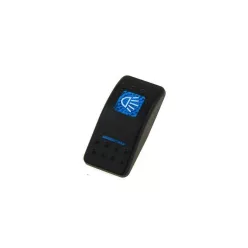
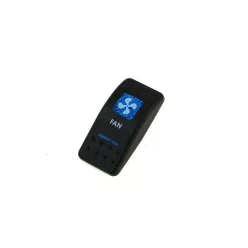
The Switch Covers & Legends range includes replacement actuator covers for popular rocker switches, featuring clear icons (e.g., LED Bar, Winch, Water Pump). Swapping the legend makes functions instantly recognisable, keeps your dashboard consistent, and works with backlighting for night-time readability.


Brief summary & key benefits
Switch Covers & Legends are snap-on plastic actuators for rocker switches. Clear icons—such as LED Light Bar, Winch, Fan or Water Pump—make functions instantly recognisable, reducing misoperation and improving safety. They work with the switch’s built-in backlighting, so labels stay readable day and night while keeping a clean, uniform dashboard look.
Replacing a legend is quick and tool-free: when the build evolves you simply swap the cover. Durable polycarbonate or ABS withstands daily use, while engraved or painted icons offer long-term visibility. This category suits retrofits on 4x4s, race cars, work vehicles and marine applications alike.
Technical Basics
Covers are typically moulded from ABS or polycarbonate with flexible snap tabs. Matte or micro-textured surfaces reduce glare and improve grip. Legends are often laser-engraved so the backlight shines through the symbol; this ensures night-time readability. Compatibility depends on the switch body series: the latch geometry and overall width/height determine a proper fit.
Backlighting usually uses two zones—top icon light and bottom indicator. Window cut-outs on the cover are aligned to the switch’s internal LEDs. For dust/water protection, the actual IP rating comes from the switch body and panel gasket; a well-fitting cover helps maintain the seal. Avoid aggressive chemicals that may cloud the plastic or fade the print.
Common pitfalls include choosing a cover for the wrong body series, forcing the tabs during removal, and using strong solvents on the icon. Always match the cover to the switch type and follow the maker’s replacement procedure to avoid cracked latches.
Selection Criteria
First, identify the switch body series and size; covers are not universal. Next, pick the required icon/legend (e.g., Light Bar, Fan, Water Pump, Winch) so operators can recognise functions instantly. For multilingual environments, icon-only legends are the most intuitive.
Consider lighting: if your system supports both constant and switched backlight, choose a cover with the correct window layout for top symbol and bottom indicator. For a tidy appearance, use the same style across the row, keeping the dashboard consistent. For durability, prioritise engraved legends that won’t rub off.
For fleets and motorsport builds, plan legends upfront—lighting, cooling, pumps, winch, auxiliaries—so every function has a distinct, unambiguous icon. Keep spare covers from the same series for future panel updates to preserve the visual language.
Installation & Maintenance
Isolate power before work. Gently pry the old cover at the snap tabs and lift it off. Fit the new part by aligning the top edge and pressing evenly—avoid over-forcing. If it binds, recheck compatibility rather than pushing harder. Clean only with a soft cloth and neutral cleaner; avoid harsh solvents or strong alcohol.
Periodically check for looseness due to vibration. Replace any cover with fading icons. After washing the panel or wet operation, verify the switch gasket is intact; wipe the cover dry to keep the icon crisp. For storage, avoid prolonged 60–70 °C heat and direct UV exposure.
FAQ
Q: Are all rocker switch covers interchangeable?
A: No. They are designed for specific switch body series; check compatibility.
Q: Do the icons light up at night?
A: Yes, if the switch has backlighting and the cover provides the proper light windows.
Q: Can I replace a cover without tools?
A: Yes—careful unclipping avoids damage. Do not use sharp blades.
Q: What cleaner should I use?
A: A soft cloth and neutral detergent. Solvents may fade or craze the plastic.
Q: The cover feels loose. What now?
A: It may be the wrong series. Select a cover that matches your switch body.
