
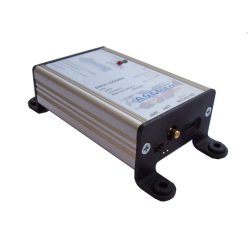
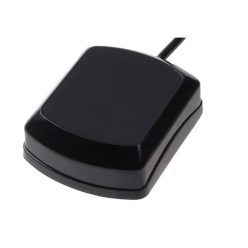
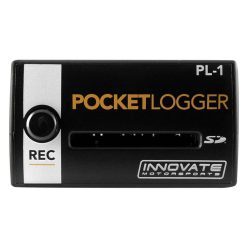
Our Data Loggers capture critical signals while you drive—engine speed, vehicle speed, temperatures, pressures, lambda and more. Devices record ECU and sensor channels with high accuracy, letting you review laps and faults on clear graphs. Add-on GPS receivers enable track maps and sector timing for meaningful performance analysis and consistent improvement.
Net price: 89 €
Brief summary & key benefits
Data Loggers turn laps into actionable information. They record ECU and sensor channels with high accuracy so you can quantify performance, spot issues and validate changes. Add GPS for track maps and sector times and you’ll see exactly where time is gained or lost.
Technical Basics
Loggers accept analog/digital inputs and often read the ECU via CAN/OBD-II. Choose sampling rates to match the phenomenon: 10–50 Hz for temperatures/pressures, 50–100 Hz for RPM and throttle, higher for vibration studies. A 5–10 Hz GPS receiver already gives reliable sector timing and a clean map. Store files in portable formats (CSV or native) for quick sharing and post-processing.
For signal integrity, separate sensor ground from high-current grounds, use shielded cable for sensitive lines (lambda, MAP, crank/cam), and maintain proper CAN termination (120 Ω). Mount the unit securely with vibration isolation and route cables away from heat and sharp edges.
Selection Criteria
Channels: decide how many analog/temperature/pressure inputs you need and how many channels can be read from the ECU via CAN. If the ECU broadcasts all you need, a compact CAN+GPS logger may suffice.
Sampling & storage: higher rates create larger files but capture finer detail. For long events, prefer larger memory or removable cards.
Power: ensure stable 12 V supply and solid grounds. Common reference ground helps avoid offset errors across channels.
Software: look for clean channel management, math channels (e.g., lambda error), easy overlays and exports. GPS track tools with auto start/finish save setup time.
Expandability: external GPS antennas, additional sensor kits and dash compatibility are valuable; pick platforms with good documentation and accessories.
Installation & Maintenance
Plan a wiring diagram, then install with the vehicle de-energised. Use heat-resistant sleeving, strain-relieve connectors and keep runs short. Verify CAN IDs and termination. Perform a short shakedown, confirm GPS lock and sanity-check values (coolant, oil pressure). Save channel mappings as a project template so every session is consistent. Update firmware periodically and check storage media for errors.
FAQ
Do I need extra sensors?
Not if the ECU already streams the channels over CAN; add sensors only when higher accuracy or missing channels are required.
What sampling rate is enough for track days?
Typically 20–50 Hz for most channels; GPS at 10 Hz is fine for sectors and maps.
Why are my signals noisy?
Usually ground loops, lack of shielding or long runs—shorten, shield and review grounds.
Why won’t GPS lock?
Antenna placement or power. Mount with a clear sky view, away from metal, and wait for a firm fix before logging.
How do we share data in the team?
Export CSV or the native project, standardise channel names/units and use overlays for fast comparisons.
